Birthday / Christmas Lists

My birthday is coming up fairly soon, and folks who love me (yes some people are crazy enough to do that) are asking what I might like as a gift. I got to thinking about it, and it made me realize just how blessed we are. There isn't anything that I absolutely need that I don't already have. Sure, there are lots of very selfish things that I might want, but all of the essentials in life are covered. I have a wonderful, loving family, a fun and affectionate (if mildly psychotic) dog, a good job that I like, and plenty of hobbies to keep me busy. We've been so busy with work, selling the house, playing with Corbin, and basicly living our lives that I haven't found myself just sitting idle.


That said, there are still some things that would be fun to have. You can click the link on the right side of the page under where it says "Feeling Generous" to see a quick wish list I put together on Froogle. If I were to pick just a couple, here is what I would pick:


  1. Ninja Gaiden Black for the XBox
  2. One Year Susbscription to Sirius Satellite Radio
  3. Broken Angels by Richard K. Morgan
  4. A Gameboy Micro or a Nintendo DS
  5. "Walking around money" at Fry's

I always have reservations about giving out wish lists though. I'm into some fairly technical / obscure stuff, and finding the right item isn't always easy, even when you understand what I'm asking for. I'm also torn as to whether I really want to put more video game systems on my wishlist. I have plenty of systems already, and there are scads of great games for them at discount prices that I have never played. Still, it is a wishlist, so I'm going for it :-) The Nintendo DS vs. Gameboy Micro issue sort of vexes me. I mean, it would be sort of silly to have both, although I would certainly love to have one of each if anyone were so generous. The DS is a gameboy with two screens and a touch pad. The Micro is a tiny gameboy with a backlit screen. The Micro would be great for just keeping in my backpack or pocket, and would be a fun upgrade from my current, first generation Gameboy Advance that lacks a backlit screen (very painful, trust me). The Micro is only priced a shade less than the DS though, which offers TWO backlit screens, and plays not only GBA games, but also the new set of DS games that take advantage of the dual screen and touch pad.


The above list is pretty much in order of preference. It's a given that, if I get nothing else, I want a nice day with the family for my birthday. But if I were lucky enough to receive presents, Ninja Gaiden Black tops the list.


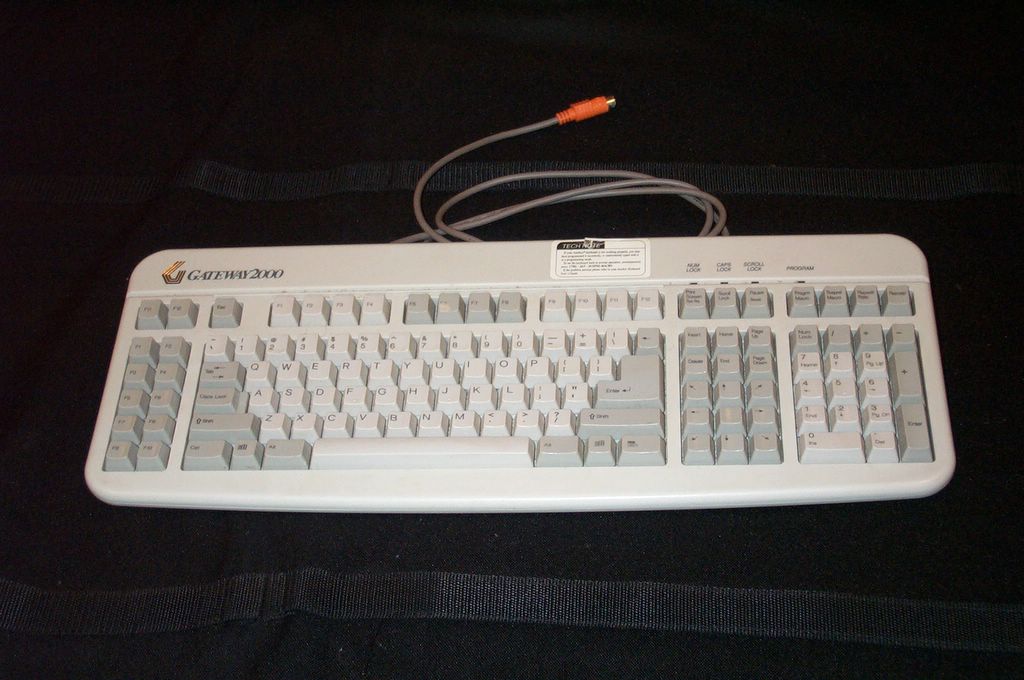
What would I "walk around" to at Fry's? I've been using my aging Gateway 2000 PC as a Linux computer for a while, but the old cow (FYI - all gateways come in boxes with cow spots, thus I refer to this lovable beast of burden as the big fat cow) just doesn't have the muscle to keep up anymore. I'd really like to have a bit swifter, second PC running Linux available. The reason is that our primary PC is getting bogged down by the services necessary to run all of the peripherals we've attached to it. I got a free motherboard from a buddy, and now all I need to get it running are the extras - hard drive, RAM, power supply / case, DVD. Once complete, I could attach all of our digital camera, video camera, scanner, printer, and other devices to it, and our primary PC could run smoothly again. Putting those items on a wishlist for someone else to buy is an exercise in getting people to hate me, so I chose to put "walking around money".


Hopefully this doesn't come off as incredibly selfish or greedy. Like I said at the start, I feel really good about how my life is going, and lucky to be in a position where I don't want for anything. Still, birthdays are a little bit about being selfish, so there is my list. Please coordinate with Jenn if you are getting anything, as she has a master list of who is getting what. Thanks family, I love you all!

Cool Optical Illusion

I love optical illusions, and this one was just too cool not to share.

http://www.patmedia.net/marklevinson/cool/cool_illusion.html

Combating Comment Spam

Several fellow bloggers have noticed comment spam creeping into their blogs. Comment spam is where you receive comments that advertise for Viagra or something and it is totally unrelated to your post. Fortunately, Blogger has introduced a new feature to help combat comment spam. It's called Word Verification. Word Verification shows an image on your comment entry screen and asks that the commenter enter the text from the image. The text is wavy, or slightly distorted in some way such that it can't be easily read by a program, but real people will have no problem recognizing it. It is a small extra step to make sure that your comments section don't get overrun with spam. I'll be turning it on here. If you have a blog, you might want to consider too.

Price of Freedom

We hear a lot in the news about the price of our freedoms. Usually it is in reference to the price we pay in lives defending our freedoms by sending troops to the middle east. I feel that the real price we pay for freedom, the one we pay everyday and will continue to pay so long as we wish to be a truly free society, was thrust into the limelight yesterday in Toledo, OH. If you haven't seen this in the news yet, a group called the National Socialist Movement had made arrangements for a police protected march through a portion of town. The National Socialist Movement is a self-called Nazi organization, promoting white supremacy ideals. What ensued was a major clash between local residents and youth gangs and the police ordered to supervise the march.


I want to make very clear that I couldn't disagree more with the politics that the National Socialist Movement promotes. I say that because I don't want there to be any confusion that I am defending their organization. However, I mentioned that Toledo was an example of the price we pay for our freedoms. The price we pay for our freedom of speech, our freedom of press, and our freedom to associate is that we have to endure others promoting ideas we don't agree with. Larry Flint is probably the greatest exploiter of this situation. Flint owns the publication house that produces pornographic magazines like Hustler, which have arguably little artistic content. Still, Flint has time and again found himself in front of the Supreme Court and other high courts, defending his right to produce such a publication based on those same freedoms we hold so dear.


Unfortunately, the result of the gathering in Toledo was chaos. Rather than ignore the march, which would deal the harshest blow possible to the group, people turned out in force and began rioting. This was precisely the type of behavior that the National Socialist Movement had hoped to incite, as it would reinforce the beliefs they promote. The people who turned out to riot were, in fact, helping the organization by providing much publicized images that they could then turn and use in their pamphlets.


The sad truth is that in order to enjoy our freedoms, we must also pay the price that we allow those with differing views from ours (and even ugly, disgusting beliefs like the National Socialist Movement promotes) be allowed to exercise their rights as much as we do. The best weapon that the people of Toledo could use against this group is not stones and rioting and violence, but to not provide any eyes and ears to receive the message. It is a difficult choice to make, to protest through inaction rather than action, but it is absolutely the best method in this case.

Microsoft is Scared

The conference I'm attending isn't put on by Microsoft, but it is covering Microsoft tools and most of the speakers are drinking the Microsoft Kool-Aid. It struck me tonight the Microsoft is definitely scared. Scared of Apple and especially scared of Google. Microsoft has gone through the last three decades following a farely predictable and very successful model. They wait for someone to innovate in a particularly interesting way. They then either buy the company that performed the innovation, or take all of their ideas and make an even better product out of it. It has happened time and again, and with the incredible wealth of the company, both financially and intellectually, they have been able to continuously squash competitors and march forward. This model is very dependent on one thing, though, and that is the assumption that the initial innovators suck at getting the product to market. Microsoft is an absolute champ at getting 2nd-generation software to market in an easy to use, well packaged form. In most cases, the initial innovator comes up with an outstanding idea that is very useful and people will love it. Unfortunately, the initial innovator spends all of their effort in developing the idea itself, and not in how to properly deliver it in a form that people will find easy to use. In other cases, the product may be easy to use and perfectly implements the innovative idea, but it is horribly ugly. Whatever the case may be, the initial innovator rushes to market with this astounding new product but leaves open a huge gap for improvement. In swoops Microsoft with their second generation product which is either a) the same product because MS bought the company, b) better because Microsoft took the idea and took advantage of the room for improvement, or c) bundled into the operating system, negating the need to install the competitors product. This pattern has been seen in the word processing space, the groupware space, the browser space, and in just about any area where Microsoft invests.


Microsoft is scared though. They are scared of Apple and of Google because they are innovating at a rapid pace, and they aren't making those first run mistakes that Microsoft can capitalize on. The iPod is a good example. There isn't anything particularly special about the iPod from a technical perspective. It is functionally just like any other digital music player: flash or hard drive storage, plays a variety of formats, easy to carry around. The iPod has one very important thing going for it that Microsoft know that it can't beat: it is sexy! The iPod broke new ground in that it oozed style when it first appeared. First generation MP3 players were ugly, unfriendly, geek toys. The iPod was sleek, and dead simple with the introduction of the click-wheel. Apple beat Microsoft to the punch in getting the second generation product out, and left little if any room for improvement. And Apple didn't stop there. They released iTunes, a music store for purchasing and downloading music for your iPod. I consider iTunes a first generation music store, and in this case, it was innovative while leaving very little room for improvement. There was little room for Microsoft to improve upon with a second generation implementation, and add to that the headache of working with the music industry to try to get the product integrated into the OS. Microsoft lost the battle before it even started. So now, at this conference, the Microsoft cheerleaders are begrudgingly giving away iPod minis that were provided as prizes by one of the vendors. It was almost sad that pathetic little rant that one speaker went into before giving one away. It went something like, "This is a piece of junk! How many of you have bought more than one iPod? It's because it's junk!". No one in the croud was sympathizing with him, and there were great cheers when each iPod was put up for raffle.


Google is the other fear inducer for Microsoft. Once again, Google developed a tremendous innovation in the world of search, but left little room for improvement. The interface was clean and simple. The results were quick and accurate. Microsoft tried, and largely failed to beat Google at the search game with the MSN portal, and later the start.com website. Now Google is expanding into other areas, and they are doing such a great job with their first iteration innovations that Microsoft is getting left in the dust. Google Maps, Frugal, Google Dictionary, Google Desktop Search, Picasa, Google Groups... a string of well done features. Certainly not all of these applications are new, but Google has done a great job of turning Microsoft's own game plan against them in the web world. MapQuest had good maps, now Google has fantastic mapping. Microsoft had a hard drive search feature, now Google has a fantastic desktop search tool. Google looks poised to continue this type of innovation and I'm sure the execs at Microsoft are wringing their hands over how to combat it. During this conference, Microsoft's own developers admitted under their breath that they were more likely to use Google Groups and other Google search tools to assist in solving their development issues than the equivalent MSN sites.


All that said, I don't think there is any chance of Microsoft seeing a drop in their stock price anytime soon. Microsoft has the operating system market securely in the bag, and it would take a monumental foul up on their part to lose it. Microsoft also has the productivity suite (Word, Excel, PowerPoint) and GroupWare (Outlook, Great Plains, SharePoint) solidly handled. Now that I've been developing with Microsoft's programming tools, I have to admit that they are head and shoulders above the crowd of free tools on the market, and some commercial tools I've tried. Still, Microsoft has reason to be concerned because their once ever expanding future markets have hit a couple of walls. It will be very interesting to see how this all shakes out.

Pennywise vs. Knucklehead

One other thing that I've noticed that is pretty much universal to everyone here at the conference (and it may not just be unique to us conference attendees, but I've noticed here), is that we are all extraordinarily cheap. There are a couple of vendors here giving away prizes and swag, and we (myself included) are all going to great lengths just for the opportunity to get this crap. Keep in mind that nearly everyone at the conference earns something like $25 / hour or more. Yet we are willing to stand in line for 15 minutes for the opportunity (not guarantee) of winning a $3 T-shirt. Just tonight I stood in line for a little over 30 minutes to get a free 32MB USB Drive. I think you can buy these at Target for $10 or less, and I'm sure the one I got was just surplus from some big box electronics seller that was trying to offload excess inventory. To be fair, the USB drive also included the opportunity to win an iPod mini (which I didn't). Then, there was "Midnight Madness", which was neither mad, nor did it run to midnight. Instead, from 8:30-10:00pm, there was a raffle for trinkets, software, more USB drives, and 4 iPod Minis. I didn't win anything. In total I think I've waited around in the attempt to get free shtuff for a close to 3 hours now throughout the conference. So far I've received the afore mentioned USB drive and a tootsie-roll. Something isn't right here.


Calling Average Joe

This week I'm in Orlando for a technical conference. I'm learning quite a bit, and had the fantastic opportunity to enhance the trip by taking a day of vacation and visiting the parks with the fam prior to the start of the conference. Now that it is in full swing, I feel a lot like I'm back at college. You've got all of the typical nerd/geek/dork archetypes here. If you have ever seen the reality TV show "Average Joe", then you'll understand when I say that the next time they need to do a casting call, they need go no further than a technical conference. I'm not trying to be cruel, or to suggest that I'm somehow better than the other attendees, it is just funny to be surrounded by folks that so typify the stereotypes of your occupation. First thing you'll notice is that the usually man-woman ratio has taken a drastic turn towards the male side. I'd wager that less than 10% of the conference attendees are women. The gender ratio may be very off-balance, but the nationality makeup has definitely become more diverse. I've met folks not just from across the US, but also from the former Soviet Union, Britain, and Germany, and overheard conversations in languages that I couldn't guess the origin of. The one unifying factor is that we are all hopelessly attached to our gadgets, and we all effect the IT stereotype to one degree or another.


There are several nerdy molds I've seen filled here at the show:


  • Who Needs Hygiene

    These are the guys who are so deep in though, who spend so many hours at their machine at night hacking away, that they completely forget about personal hygiene needs. They have a sort of Grizzly Adams meets Cousin It look. Hair is usually long and unkempt (although hopefully recently cleaned), beard has completely occupied the face territory. Pants are a couple of sizes to short as they were purchased by someone else as a gift years ago, and never took the time to get a correctly sized pair. Nothing matches, socks included. Trying to carry a conversation with these guys on anything but the topic they are currently embedded in is totally useless.
  • Mumblers

    One drawback to working with computers, especially if you telecommute or otherwise work remotely, is that you run the risk of losing touch with humanity. This can lead to the loss (if ever developed firstly) of social skills, paritcularly the ability to speak in an audible tone. Several times folks in a lecture have wanted to make a point, but just haven't been able to find the courage to speak loudly or clearly enough to be understood. Also, the inner monologue is completely gone. Making backhanded comments at your keyboard never hurts anyone, but sometimes that habit can rear itself in the middle of a speech in a most unfortunate way. If no one laughs, the poor soul then ducks his head in shame and puddles into nervous twitches.
  • Cocky Bastards

    This is my least favorite type of nerd. When you get into a highly technical field, you are usually regarded among your non-technical peers as bright person. Smarter than your average bear. Unfortunately, some in the field take this as an opportunity to expound upon their brilliance to anyone in earshot, and continuously attempt to show how their intellect is superior to everyone else in the room. These are the rare nerds who are actually looking to talk to you. Actually, they are looking to talk at you. They really aren't concerned with what you have to say, they just want to be sure that you understand how miniscule your troubles are in comparison to the world saving cleverness they are about to implement into their next block of code.
  • Goony Birds

    This is my favorite kind of geek. A goony bird is someone who, at some stage in their life, endured a period of tremendous social awkwardness. Perhaps they had a physical feature that was different (not bad, just different), or were the straight A student without trying, or for some reason felt that they just weren't part of the "in-crowd". It's really hard to accurately describe the goony birds. They usually have some quirk, habit, or hobby that is a bit odd. Friends and family might describe them as "different", "interesting", "odd", or just plain "weird". The unifying feature of the goony birds is that they have developed a sort of humility without becoming a mumbler. They generally have up-beat, happy attitudes, and love to talk about whatever quirky thing it is that they are into, but can still relate to "normal" things.


I'm sure that there are other types of nerds, and there are probably finer breakdowns of the nerd species that I haven't enumerated here, but these are the stand-out stereotypes I've noticed on this trip. And I'll just go ahead and admit to belonging to all of these stereotypes in at least one period of my life. Growing up I would say I was probably a mumbler. Into college I turned into a Who Needs Hygiene guy. Somewhere along that timeframe I was also a cocky bastard, and I still have a little bit of that now (although I swear I'm continuously working on that). Now I consider myself primarily a goony bird. Sure, I've got my quirks, but I'm not so out there that I can't hold a normal conversation with someone outside the IT industry.


What kind of Nerd are you?


Serenity (Now!)

Saturday Jenn and I were lucky enough to snag Opa and Oma as babysitters for the evening so we could go catch a movie. We went to see Serenity and I loved it! The story was great, and followed along with how the 14 episodes of Firefly had built up the plot. I never read the three issue comic book series, so there were some small gaps that I missed, but really you could watch this movie without ever seeing the television show and still enjoy it. I even caught Jenn laughing out loud at a couple of sections of the movie. That's one of the things I really like about Serenity/Firefly... it doesn't rely on special effects to carry the film. Instead, the characters are charming, the dialogue is witty, and the story is intrigueing.


It so hard to give a good description of the show such that someone would be enticed to go watch. I mean, "The adventures of a group of misfits as they do odd jobs and get into scrapes" really doesn't capture it. What really grabs me about the series is how different it is from your typical space opera. This isn't the ultra-clean environment of the recent Star Trek series, nor is it the clear cut Good vs. Evil story of Star Wars. Instead, the division between good and evil, right and wrong are blurred. The crew of the Serenity aren't clean cut, uniform wearing stiffs. Instead, they each have their own individual quirks, and nothing about the Serenity is clean or organized like you might find on the Enterprise (referred to as the Sheraton of the future by Joss Whedon).


I'm not really sure I'm giving a compelling argument to go watch the show. All I can say is, Jenn and I both enjoyed it. If you are on the fence, duck into Blockbuster and rent the Firefly DVD set. Watch a couple of episodes and see if it piques your interest. If it does, you'll love the movie. If not, then perhaps Serenity isn't your cup of tea.

Sci-Fi


Normally, I abhor television. I rarely find anything on that isn't overly trite, incredibly predictable, or yet another copycat reality series. Lately, though, I've found a couple of shows that I really enjoy watching. As far as reality shows go, we still watch Survivor together, and The Amazing Race is one that I'll admit to actually liking. It's been a long while though since the last non-reality series caught my attention. Sure, CSI is great, and I look forward to new episodes, but it seems that the networks have cranked out a myriad of copy-cats. There are enough Law & Order spin-offs for a dedicated channel now.


Anyway, I was going to make a point. I started using the TV card in the PC to record shows on Sci-Fi that I was mildly interested in. I had heard of the new remake of the Battlestar Galactica series, so I recorded a couple of those, and I also had read about Firefly, a show canceled after one season, but with a huge fan base. I watched the episodes of Battlestar that I recorded, and I was immediately hooked! This is a great show! The Battlestar show of the 70's/80's was pretty cheesy, and I remember it mostly for watching the Cylons and humans engage in space battles ala Star Wars. The new Battlestar is a lot different, it is much more cerebral. I went to Blockbuster and rented the mini-series, and the Sci-Fi channel ran a marathon of season one episodes so I'm nearly caught up. The season finale was a great cliff-hanger too, and I'm looking forward to when (when?) the next season starts up.


That brings me to Firefly. Firefly is another sci-fi show that was written and directed by Joss Whedon of Buffy the Vampire Slayer fame (and Angel and several other television shows and movies. I had heard great reviews and of the fanatacism of the "Browncoats": fans who nicknamed themselves after the rebels of the show. I watched a couple of episodes to see what the fuss was all about, and I have to admit, I am totally taken with Firefly. Once again, thanks to the Sci-Fi channel for picking this up and re-airing the full season after Fox dumped it. I don't know if there are any plans to revive Firefly like Fox did with Family Guy, but there is a new movie coming out this Friday called Serenity that is a continuation of the story from Firefly. I like Firefly because it is so different from other space "operas". Rather than put old western plots into shiny ships, the show really is a Western. The characters live in a universe where there are no Lucas / Henson aliens wandering about. Instead, there are only humans who are terra-forming planets and moving out like old time pioneers. Outworlds are sparcely populated, and outlaws are common. The crew of the cargo ship Serenity (Firefly class) live from one odd job to the next, and not all of them are entirely legal. The show is laced with a kind of humor that I really got into, and the characters actually have character. I highly recommend that any sci-fi fan run out and grab a copy of the first season on DVD (only $40 at Amazon) and watch this great show. I'm really hoping that I can pop into a theater soon and see Serenity.

Tinkering

It's been way too long since my last post. A couple of weeks ago, the whole family came down with some sort of sinus infection. I'm still not quite done with it, but I think I'm through the worst. This weekend I felt well enough to tinker around with my old Gateway PC. One thing had been really frustrating me for a while: I couldn't boot from a CD-ROM. Not only that, but if I tried using something like SmartBootManager or another Torito stack trick to boot the CD-ROM, I would get an Error 0xAA message. So booting from the CD-ROM was a no-go, even with a boot floppy. I thought maybe it had something to do with the fact that I had upgraded the CPU a couple years back using one of the Evergreen Spectra kits. I took the PC apart and put the old 100 MHz chip back in and flashed the BIOS back to the gateway supplied one (1.0.10.BR0T). It was kind of nostalgic to see that Gateway 2000 logo popup again when I booted the PC.


Anyway, booting from the CD-ROM was an option again in the bios, so I flipped it on and put in my SLAX live CD. Unfortunately, I got an ISOLINUX error. Evidently it was able to try to boot from the CD-ROM, but it ran into some other hurdle in the process. Fortunately, I have lots of spare CD drives hanging around. I took the spare Dell one and put it in, and sure enough it booted up fine. Something about that Plextor CD-R/W was not happy about booting. So then I thought, well maybe I can get this guy to boot to CD-ROM with the upgraded chip back in there. Well, it doesn't work perfectly, but using the SmartBootManager disk I can get it to boot to CD-ROM with the 400 MHz chip installed. Huzzah!


That leads to tonight. I've been trying to get the latest distro of Slackware Linux (10.2) running. It's installed, and I can use it, but it won't recognize my USB mouse. I have a PS/2 mouse plugged in now, and it likes that, but it is sort of a pain because the cable from the KVM is USB. So now I have 2 mice on my deks, one for the Dell, and one for the Gateway. Solving problems like this is part of the "joy" of using Linux. I'm sure I'll have it figured out in the next couple of days, or else I'll just switch to the next distribution.

Katrina

Jenn got the call today that her dad was being activated by the national guard in response to the hurricane damage in New Orleans. I've been reading, watching, and listening about the devastation in the area. What I find most appalling is how rapidly the civil situation turned into anarchy. Looting is a sad but expected result, but shooting at rescue personnel and causing general mayhem? I had higher expectations of the people of our country than that. What are these shooters thinking? Of course, there are lots of things I don't understand about this situation. Why stay after the order to evacuate? Why build a city under sea-level? Why make a bad situation worse by harassing the rescue workers and terrorizing other victims? I just don't understand it.

I'm also really disappointed with the media, oil, and insurance industries. The media has already started the witch-hunt to blame someone. It's completely ridiculous. A study was done several years ago that stated that a category 5 hurricane would completely destroy New Orleans. It was a known risk. Yet nearly every newscaster has asked the same ridiculous question: "Why weren't you prepared?" In a catastrophe like this, the loss of life is unavoidable. It's wrong to try and lay blame on any person or organization.

The insurance and oil industries didn't waste any time in using the hurricane to boost profits. Gas around us ranges from $3.19-$3.50 a gallon. Insurance companies are talking about how rates are going to rise.

While I'm ranting, let me make one final observation. What nations are rushing to OUR aid now? Whenever tragedy strikes in the world, we Americans are expected to come running to the rescue. When we need help, who answers the call. If any foreign aide is headed our way, I haven't heard about it yet. I suppose the rest of the world thinks we either don't need or don't deserve their help.

Sorry for the rant, but the whole situation just puts me in a foul mood.

PDA Post

This post is coming straight to you from my new toy, a Dell Axim x50v PDA! This thing is so cool! I reiceived my replacement last week and I have been loving it ever since. It can do jwst about anything a geek like me might want. It has built in wireless so I can browse the web from any hotspot. It has 2 kinds of memory card readers for lots of storage. It plays movies, music, games, and more. The handwriting recognition is incredible: it can recognize my chicken scratch. Jenn can attest to the fact that it has been constantly by my side since arriving. I keep finding interesting uses for it too. Aside from this post, I also take all of my notes on it, track my gas mileage, browse, check e-mail, and jot down appointments. It's really handy! Hopefully my zeal for this new toy persists and I get lots of good use out of this incredible machine.

Dell Axim x50v.... DOA


Oh Dell, why do you torment me so. A couple of weeks ago we ordered a new laptop to replace the one I had for school, and a PDA for myself. After checking out some review sites and waffling as to whether I would really use it, I decided to get the Dell Axim x50v. Dell was having a sale where the units were marked down 35%, and so I jumped on it. The x50v has quite a few features that appeal to me. It has a gorgeous VGA (640x480) screen. It has Wi-Fi (802.11), Infrared, and Blue Tooth built in. It has a fast processor, Compact Flash and SD I/O slots, and lots of other goodies. I wanted one to track my appointments, todo list, and for browsing the web from the couch. Jenn and I were both like little kids waiting for our packages to arrive. For Jenn's laptop, we chose the Inspiron 6000 with a Pentium M 1.6GHz chip, built-in Wi-Fi, and widescreen display. It's amazing how much laptop prices have come down: it was just a hair over $900.


That doesn't look right...

This isn't giving me a warm fuzzy feeling

I got the call from Jenn that the UPS driver had dropped off our toys. When I got home we got them out of the box and started charging them. I powered up the Axim and went through the setup steps, then shut it down to charge while I went out to mow. After dinner and giving Corbin a bath and putting him to bed, I retired to the basement to play with the new toys. The laptop was a breeze, it worked great straight out of the box. I had it updated and installed all of the programs Jenn uses (Picasa, Gaim, w.Bloggar) in just a couple of minutes.

The Axim was a completely different story. I clicked on the PDA and I saw a message which said that a memory error had been detected. I clicked the button to get rid of the error, and then nothing. Just a black screen. Hmm.... I'm new at the PDA game, so let me try a couple things. I plugged in the charger / dock and put the PDA in. I hit power. I see the same message. After clicking the button though, I see the Dell background. Success right? Wrong! That's where it stayed. No friendly start button, no prompts, no response, even to the power button. After actually reading the manual, I click the reset button in the back. It blinks off, then straight back to the Dell screen. Grrrr.... So then I checkout the forums on AximSite, a community run forum for Axim users. By holding down the power and reset buttons, I can force a "hard" reset. Unfortunately, even after the hard reset, I get the blue Dell button staring back at me. Reading further on AximSite, I find that there is a strange three button combo that will throw you into the Dell Hardware Diagnostics Utility. I ran through the utility, and it passed every test perfectly. One test was to record my voice and play it back, which was pretty cool. After finishing the test, I'm back to the Dell blue screen (of death?). I'm pretty sure that the hardware must be okay, and that the ROM / firmware is somehow biffed. At wit's end, I got on the Dell on-line customer support chat site and spoke with "Joshua". He ran me through the same tests I had already tried, and then came to the conclusion that I needed a new unit :-( The chat thing definitely worked better than the phone, as the problem was "resolved" in less than thirty minutes. Checking my order status now, the replacement has shipped and should be here sometime tomorrow or the next day. As a feeble last attempt, I let the battery charge overnight, but in the morning I was still stuck at the Dell screen. I was majorly disappointed that my cool gadget didn't even work out of the box. Hopefully I have better luck with this replacement.


Dell Blue Screen (of Death!)


State Fair

It's state fair time. I'm reminded about once an hour by the train whistle blowing. The train tracks outside our office are only used one time of year, and that is for the state fair. Normally, the tracks are bare excepting for now when they fire up the old engine and ferry folks back and forth to the fairgrounds. It's kind of neat hearing that whistle blow...

Froogle Wish List

I know, I'm probably years behind on learning about this one, but I just noticed the WishList feature over at Google's Froogle site. You can browse around on Froogle and add things to your shopping list. Then you can mark some of those items as being on your wish list. Items on your wish list can be viewed by others, which makes it sort of like a gift registry. I had an idea for a service that would work something like this, and intended to charge the stores that were available to shop from a small fee for anything purchased from a wish list. Google just beat me to the punch. Anyway, if you are feeling generous, here is a brief wishlist I put together.

The Miserable Meteorologist

I missed my calling as a weatherman. Every time the weather is about to change, whether it be from sunny to rainy, muggy to dry, or whatever the barometer chooses to do, I know well in advance. How? My sinuses start giving me fits. Today is one of those days. Anyone who has ever been around me knows that the day of a good rain, I'm a mess. And no, I don't have allergies. Trust me on this one. I've had that torture session otherwise known as a prick test performed three times, and each time I had no reaction to any of the allergens. Do we really need sinuses? I mean, really, what purpose do they serve (aside from making me miserable)?

Taken

Click here for a sweet little animated short.

Movie Review: War of the Worlds


Tonight Corbin spent the night with Oma & Opa, so Jenn and I had a date night. It was quite the date night we had hoped for because we couldn't get reservations at Mitchel's for dinner, and the movie started at either 7:30 or 10:30, so our options were reduced. We went straight for the 7:30 showing and made popcorn and frozen coke our dinner.


Before I get into the movie, what is going on at the theaters these days? $9.00 for tickets?!?! Fortunately for us, we had a free pass we received as a Christmas gift, and it proved to be a good investment as tickets were $8.25 at the time it was purchased. Then inside we had a 10 minute wait to get our large popcorn and large frozen coke ($10.50). The popcorn was stale and full of those tiny pulverized pieces from the bottom of the popper. When we find our seats, we greated with a rolling set of commercials for coke, diet coke, television shows, and reminders to turn off our cell phones. When the lights dim we get our standard 15 minute roll of previews. Normally I don't mind these, as they are usually previews for movies coming out next year, but in this case they were for movies currently in theaters (Stealth, Charlie and the Chocolate Factory). Are we entertainment consumers such mindless sheep that we don't notice what a bad deal we're getting at the theaters? For the same $30 the two of us spent, we could have rented several movies at $4 each (or bought one for around $20), popped up a couple of bags of $0.50 popcorn, and enjoyed the movie in front of our state of the art widescreen television and dolby digital 5.1 surround sound system. And at home, we have the freedom to pause, rewind, take a bathroom break, or anything else we want.


But I digress. We caught a showing of War of the Worlds after discussing what we should see. Evidently, Hollywood is running short on writers because there seem to be a lot of remakes, sequels, and adaptations in the theaters now. Several folks had told us they liked War of the Worlds, so we settled on that one. Neither of us was all that impressed. The movie had excellent effects, and the mood of the film was tense throughout. Unfortunately, the atmosphere was all it really had going for it. I already knew the story, so I went in knowing the plot line and the ending, but I still hoped that this would be an interesting retelling. I didn't get what I was hoping for. The plot of the movie is outlined in the 5 minutes of intro and outro speech by Morgan Freeman (who never appears in the film). The rest is a cookie cutter sci-fi / action film that really could have been used in any movie. It was almost like Spielberg and company were doing a technical demonstration, and not really making a movie. The ending of the film is what really clinched it as a disappointment. It's almost like they said, okay, we've made our demo, let's wrap this up and go home.


Needless to say, we aren't recommending this to anyone.

Taking Notes

When I was in high school and college, I was a judicious note taker. I made a sort of an art out of it. I had multi-colored pens, and each color had a particular meaning to me. I would jot down just about everything the instructor would mention, as well as any notes on the board or important tips from slides. The result was spiral bound goodness, brimming with colorful pages of knowledge.


Now that I've been in "the real world" for a while, I've noticed that my note taking is not just less colorful, but almost useless. In most meetings I attend, I rarely jot anything down. I have the pad and paper there mostly to show respect to whomever called the meeting (rather than offend them by being honest and showing that I have no intention of taking notes). It isn't that the discussion isn't always noteworthy, it's just that there are so few new thoughts that come up in a meeting that I can remember them without notes. The notes I do take are mostly for show, again, just to humor the speaker. In nearly all cases I end up with a couple of scraps of paper that I'll NEVER reference again.


And here is where the real trouble comes... I'm a pack rat. I HATE to throw things away. And to throw away notes, well, let's not even discuss it. After all, if it was worth jotting down (referring back to school days), then it MUST be important. Unfortunately, now I have these worthless notes littering my desk that I don't want to throw away. In my mind I'm thinking, "Well what if so-and-so asks if I recall a previous discussion". That never happens.


The only notes that I really do care to take and keep are the ones with contact information, calendar appointments, and task lists. These usually end up scattered across a variety of the bad notes, and are in no way organized. If I'm sitting at my desk, I'm pretty good about entering them into Outlook, but otherwise they end up scattered across lots of scraps of paper. I'm considering getting a PDA to better organize these, but I'm afraid that I'll just be pissing away $400 on a toy I use for three weeks, and then forget.


Has anyone else noticed this futility in note taking in the real world? Do you actually use the notes you take now? If you have a PDA, is it useful?

Restaurant Recommendations

I've found myself in the position of recommending lunch and dinner spots, and thought I would pass them along here.


Lunch


If you are looking for a quick lunch, but something more than McDonald's, I would recommend any of these:


QDoba

QDoba is great mexican restaurant, and their burritos are unbelievable. They pack so much into the things that the poor tortilla shell can hardly hold it all. It is setup much like a Subway, in that you choose what you want on your burrito, taco salad, or other entree and they make it right in front of you. I usually go for the veggie burrito (yeah, yeah, occassionally this meat-a-tarian eats some veggies), and their nachos are really good as well.


Roly Poly

This is a place that I've only starting visiting recently, but I'm a big fan. They have your standard hot and cold sandwich fair, but rather than serving it as a sandwich, it is rolled in a pita type bread wrap. Their wraps are great, and I'm a big fan of the chicken caesar.


McAllister's Deli

This is a hot spot in Fishers, and VERY busy during the lunch hour. They do a brisk service though, and you should be able to get your lunch fairly quickly. The outdoor patio is nice on hot days. The deli sandwiches are good, as well as the soups and potatos. I usually go for some type of corned beef meal (Reuben or New Yorker) and a cup of potato soup. The drinks they serve come in enormous cups that won't fit in any cup holder. The sweet tea is very good.


Jimmy John's

Another sub shop, but for some reason this one stands above the cold meat sub crowd. I don't know what it is: the bread, the sauce, the meat.... their sandwiches just taste better than Subway's. I'm partial to the Billy Club on french bread (hold the tomatos).


Dinner


Depending on whether you are looking for a very nice, but pricey meal, or just something quick, you can probably find something you will like in this list (I certainly did).


El Camino Real

This is your typical strip mall Mexican restaurant, but the food is very tasty. The service is very, very fast, and the atmosphere is very laid back. The prices are great for a family too. We can usually get in and out for less than $20. I'm pretty predictable here, as I almost always order the special dinner #4.


Nancy's Pizza

If you live in or around Fishers, you have to try a Nancy's Pizza at least once in your life. These are monster sized Chicago style pizzas. The closest thing to compare to them is Uno's, but these are even bigger (and arguably better). The pizzas have a very deep dish crust, almost two inches deep if you are lucky. This is truly a pie pizza, filled with sauce, toppings, and cheese. To call them toppings is kind of a misnomer, as they usually end up pretty well buried in the heaping layer of cheese. This certainly isn't the pizza for the lactose intolerant. One to two pizzas is more than a meal for most, so be cautious when you order. It may seem like you need more, but you will definitely have leftovers.


The Rathskellar

If you are looking for a little bit more upscale meal, the Rathskellar is a very nice German restaurant. We've been there a couple of times, and it has always been fun. The food is great, with the variety of schnitzel's coming on plates bigger than your head. After dinner, there is a beer garden outside that hosts local bands. It is great for an evening out.


Maggiano's

If you are looking to feed a large group, Maggiano's is the place to go. Maggiano's is a family style Italian restaurant in front of the Keystone at the Crossing Mall. If you order family style, you get all you an eat of two salad choices, two appetizers, two anti-pastas, two entrees, and two desserts. The amount of food on the table is awesome, not to mention how great everything tastes! It is usually a good idea to call ahead and make reservations, especially for a large party.


The Cheesecake Factory

I always debate recommending this one. The food is spectacular, but the big drawback is the wait. The Cheesecake Factory is in the Keystone mall, and regardless of when you go in you are usually in store for at least a one hour wait to get a table. It was so painful that Jenn and I stopped going, and we LOVE The Cheesecake Factory. If you are on the fence, a good compromise is to hop in the dessert line and get an order of cheesecake to go. They have a wide selection of cheesecakes (go figure) as well as other desserts, and they are ALL very good. If you have the extra time, the food is wonderful, and I absolutely love the spicy cashew chicken.


So if you are in the Indy / Fishes area, and need some good eats, go ahead and try some of these.

FINDSTR

I learned how to program in a UNIX environment. In a UNIX environment, almost everything is done from the command line (or can be). Sure, there was a GUI that you could click around on, but if you really wanted to get something done, your just wrote a script for it and fired it off on the command line. One of the tools that was really useful was the "grep" command. This command would take a search string as an argument, and then search through all of the files in the directories you specified for that string. It was very useful when debugging code, because you could quickly determine all of the code files that touched a particular class or header file.


Sadly, grep was missing from my list of command line utilities when I moved over to developing on a Windows platform. In fact, the command line was pretty well shunned. Instead, Visual development was the word of the day. I still missed my friendly grep command though. Sometime last fall, I discovered the FINDSTR command in windows. On the command line, the FINDSTR command works much like grep in that it will search for a given string in the subdirectories you specify. It's much handier (to me anyway) than the graphical search tool because I don't have to worry that it isn't skipping files it doesn't recognize as text files. If you want to use it, here is the info:


Searches for strings in files.

FINDSTR [/B] [/E] [/L] [/R] [/S] [/I] [/X] [/V] [/N] [/M] [/O] [/P] [/F:file]
[/C:string] [/G:file] [/D:dir list] [/A:color attributes] [/OFF[LINE]]
strings [[drive:][path]filename[ ...]]

/B Matches pattern if at the beginning of a line.
/E Matches pattern if at the end of a line.
/L Uses search strings literally.
/R Uses search strings as regular expressions.
/S Searches for matching files in the current directory and all
subdirectories.
/I Specifies that the search is not to be case-sensitive.
/X Prints lines that match exactly.
/V Prints only lines that do not contain a match.
/N Prints the line number before each line that matches.
/M Prints only the filename if a file contains a match.
/O Prints character offset before each matching line.
/P Skip files with non-printable characters.
/OFF[LINE] Do not skip files with offline attribute set.
/A:attr Specifies color attribute with two hex digits. See "color /?"
/F:file Reads file list from the specified file(/ stands for console).
/C:string Uses specified string as a literal search string.
/G:file Gets search strings from the specified file(/ stands for console).
/D:dir Search a semicolon delimited list of directories
strings Text to be searched for.
[drive:][path]filename
Specifies a file or files to search.

Use spaces to separate multiple search strings unless the argument is prefixed
with /C. For example, 'FINDSTR "hello there" x.y' searches for "hello" or
"there" in file x.y. 'FINDSTR /C:"hello there" x.y' searches for
"hello there" in file x.y.

Regular expression quick reference:
. Wildcard: any character
* Repeat: zero or more occurances of previous character or class
^ Line position: beginning of line
$ Line position: end of line
[class] Character class: any one character in set
[^class] Inverse class: any one character not in set
[x-y] Range: any characters within the specified range
\x Escape: literal use of metacharacter x
\ xyz\> Word position: end of word

For full information on FINDSTR regular expressions refer to the online Command
Reference.

A Warning to Meth Dealers and Makers


To all meth dealers and makers out this, consider this your fair warning. You are now on my shitlist. Why? Because you have created yet another irritation when I go shopping for groceries. Today I needed to make a quick trip to the grocery store. I needed some basic stuff: bread, milk, and some sinus medication because my head is giving me fits. Milk and bread, no problem. Sinus medication? You'd think I was asking for black market arms. I was in the pharmacy section when I see the big sign: All products containing pseudophedrine are now behind the service counter. You know, the place they keep the cigarettes and the rest of the weapons of mass destruction. So I head over to the counter and sure enough, behind lock and key the attendant has a stash of allergy meds. They aren't on display mind you, so you have to carefully describe what you are looking for, and after two or three guesses, you actually get the product. But wait, you can't just walk off yet. Next, you need to present your driver's license, which is dutifully logged in a "He might be a meth dealer so note this down" log book. The time, date, type of med, number of grams of pseudophedrine, and your driver's license ID are all logged. Finally you have to sign your name that, yes, you were in fact snot nosed and feeling drippy that day.


So thanks a lot assholes. I have no problem with your ignorant urge to kill yourself either through the production or use of said illicit material. But when you start messing with my trip to get groceries, I get pissed.

Hot Topic: Hot Coffee


As an avid gamer, there has been hot topic in the news that I've been paying attention to lately. Grand Theft Auto is a series of games by Rockstar Games that has the player ravaging a town as a gangster, stealing cars, murdering, robbing, and creating general mayhem. The game has always been one of the first weapons politicians use in argueing for enforced rating systems and censoring of content. I've been playing it GTA III lately, and it is pretty violent. At the same time, it is incredibly fun to just terrorize throughout the town. It's all pretend, and it's great stress relief.


At the same time, there is an age where stuff like this just isn't appropriate. I'm not going to draw the line in the sand and say when you are can handle it, but suffice to say that there is a level of maturity necessary to understand that what you do in the game is absolutely not acceptable in real life. I can see how someone who was fairly impressionable could play the game and get the impression that it is cool to act like the main character in the game. And for that reason, I can understand a call to rate games according to content. The Entertainment Software Rating Board (ESRB) is an industry created panel to do just that. But their ratings don't really have much teeth, much like the movie rating system. Sure, they have a children's rating, everyone rating, 10+, teen, mature, and adults only, but the application of those ratings is fairly subjective, and hardly anyone takes notice.


The reason that this game is in the news is that, when the latest GTA game was released, it was given a Mature rating for graphic violence, sexual references, and adult situations. A mature rating means that the game should only be played by those 17 and over. In reality, I've never met a game store clerk who ever enforced that. Be that as it may, a intrepid game "modder" (someone who adds or modifies the content of a game), found that he could apply a particular patch to Grand Theft Auto : San Andreas and unlock a new set of missions. These missions, called the "Hot Coffee" missions, require the player to visit several girls around town and engage in a sex mini-game. Rocking the joystick in rhythm earns points until the character finishes, and he earns some cash. Well, this is enough to put the game into the Adults Only category, and it has touched off a firestorm of political rhetoric of the game ratings system.


I've seen a video fo the offending content from the game. Let's put this into perspective. First, the content is not at accessible without some effort on the part of the player. They must download a patch from the internet and install it if they run the PC version of the game. If they have a console version (Playstation 2 or XBox), they must then transfer it using a special piece of equipment. Then, once the patch is loaded, the player visits a house and starts the mini-game. If you've never seen this game, the character models aren't ultra-realistic. They are essentially boxes with wallpaper to make them look like people. In the mini-game, the female character is nude, and the male character remains fully clothed. The male character is not anatomically correct, so it is sort of like watching a tame episode of Sex and the City. The characters do their thing, and a minute later, you are back out the door, looking for your next mission. This type of activity has been in the series before, too. For instance, in the copy of GTA 3 I'm playing now, you can pick up a hooker and drive off to a secluded area. The car starts rocking, and your health starts going up while your cash funds get depleted. That made it by the ESRB with a Mature rating.


So what now? Should players and parents send back their copies for a sanitized version? Honestly, if you were letting your kid play before, and this is the straw that broke the camel's back, you seriously need to reevaluate the situation. Still, I see the point that some are making: the game was given an inappropriate rating because the producers effectively hid content from the ratings panel. It is an easy enough thing to do as a programmer. Rather than rip out all of the bad code, just comment out the ability to get to it.


This leads into other questions though. Should game ratings be enforced by retailers? What are the appropriate ratings and guidelines? Should game makers be help accountable for content created (or made available) by modders? I think this will be a tricky question for me in the coming years as Corbin grows up and wants to play games like this. Should I let him? When is he old / mature enough? Can I give him a go / no go decision based on a game rating alone? In our situation, I'll probably know as much about video games as Corbin, but what about other folks who don't share my penchant for games? And this brings on another level of questions too. Should games be rated under the same or different guidelines from movies? What about television? I know there are nights when you turn into the 6 o'clock news and see some pretty violent stuff. And daytime television content can be a lot worse than R rated films. Then again, I think an R rated film like Schindler's list is important for Corbin to watch.


Well, I've ranted on long enough (and managed to avoid taking a side, or even make a point for that matter). Have you even heard of this issue? What are your thoughts?

Almost.... There.....

I'm so close to having my MBA complete that I can taste it! I spent a goodly portion of today working through the marketing strategy and financial plan sections of my applied management project paper. I've taken ample breaks in between fits at the keyboard. I'm so close to being done. I sent this draft to the professor for review, and if everything is okay I just need to tack on an executive summary and I'm all set to graduate. I'll be so glad when this is finished. I've learned a lot through this MBA program, but I am soooo ready not to have to worry about homework on the weekend anymore. Two more weeks, just two more weeks.

Pace of Technology


I was browsing the web today when I saw something that made me stop in wonder at the marvelous pace of modern technology. I was checking my Google GMail account when I noticed the usage information at the bottom of the screen. It said that I was currently using 120MB (5%) of my 2393MB of storage. That's right, over 2 GIGABYTEs of storage. And it's just for e-mail!! The computer I took to college had 1 GB of storage. The old Mac IIsi has a paltry 60MB of storage, and that runs the entire computer as well as all of the applications on it. It truly is amazing how much our computer technology changes every year.

Quality Control at the Kleenex Factory

I have a bit of a bone to pick with the folks over at the Kleenex factory. It seems their quality control group hasn't been keeping up to standards. More and more often (nearly on every box now) I come across a section of tissues that have been inserted upside down in the box. Why is this a problem? When the tissues are inserted upside down, they don't continuously feed. Not only that, but there isn't an edge to grab when you dive in the box to get one. Normally, something like this wouldn't really bother me. After all, you just have to reach in and grab the next tissue. Sometimes this happens anyway when the "cocked and loaded" tissue falls back into the box. However, when you are feeling that sneeze coming on, and you realize that the next tissue isn't chambered and ready to go, you can be in quite a pickle. You can either let your hand be the snot recepticle, and cleanup once you manage to get the next tissue out of the box, or you can try to beat the box and spray everything on your desk when the box wins.


So Kleenex people (and Puffs, Scotts, and all other facial tissue manufacturers) heed this call to increase your package quality! It's a minor irritant that can be quite frustrating to us allergy afflicted, sinus suffering, nose drippers

Game of the Moment: Grand Theft Auto III

Getting a video game console towards the end of it's lifetime is great because it means you can go back and play all of the great games for the system for cheap. There are a lot of great games out there for the XBox, and many of them are bargain priced around $20 since they have been released for over a year. Last week, I picked up the GTA Double Pack for the XBox. It contains both Grand Theft Auto III and Grand Theft Auto : Vice City. I haven't cracked the seal on Vice City yet, but I can say that I'm fully addicted to GTA III. I'm a sucker for adventure games that allow you to wander aimlessly and make up your own quests, and that also provide structured missions and give you collectible goals. I LOVE that kind of game. That's why I'm such a big fan of the Zelda and Metroid series of games. GTA fits that mold perfectly.


The first time I played any Grand Theft Auto game was my junior year of college. A buddy fo mine let me borrow a copy of his version of the original Grand Theft Auto. It wasn't the stunning 3D game on the XBox. Instead, it had top down, sprite based graphics that would scale over your position based on you speed. It was a really fun game, and it had the same theme. You steal cars and do odd jobs for the various gangs around town in an effort to build up a stockpile of cash. Then there was an add-on that moved the playing field to London. I never played GTA 2, so i can't tell you much about that one.


GTA III rocks! I've been really depriving myself of sleep so I can stay up and complete one more mission. And it is so much fun to just grab a fast car and tear around town like a maniac. If you have an XBox, PS2, or a PC, and you like playing adventure games, I would definitely recommend picking up GTA III. If you have an XBox, get the double-pack. Otherwise you can probably find it for your system in a bargain bin for less than $20.

How to Use a Managed (.NET) Control in an Unmanaged Container

It seems that in the first beta of the Visual Studio .NET tools, you were able to create a user control (like a button or a form), and the mark it for COM compatibility to use it like an ActiveX control in your legacy Visual Studio 6 projects. Unfortunately, Microsoft decided to yank that feature prior to the official 1.0 release of the .NET SDK. It has yet to reappear.


Fortunately, some clever folks have figured out how to work-around this and get it to work. The first clue I came across was a Microsoft hosted page that suggested building an interop ActiveX control in VC7, and then using the interop ActiveX control from within the VC6 project. I went along this idea for a while, but was eventually advised against it by some of the other developers here as they had seen issues in mixing VC6 and VC7 libraries.


Then I hit the jackpot. I found two websites that, when combined, got me exactly what I wanted. Those websites were:


http://www.ondotnet.com/pub/a/dotnet/2003/01/20/winformshosting.html

http://www.codeproject.com/cs/miscctrl/exposingdotnetcontrols.asp


I had to add two functions to my control class. One function to add some extra Registry information to mark the component as an ActiveX control, and the other to remove those entries when the component is unregistered. I also had to mark the class with a ClassInterface and a GUID. Below is the class declaration info:


[Guid("0B98FF25-E354-4e9b-AD66-4351D1F3D95B")]
[ClassInterface(ClassInterfaceType.AutoDual)]
public class MyActiveXControl : System.Windows.Forms.Button

Then I used the following two functions for my extra registry settings.


#region COM Interop / ActiveX Functions

[ComRegisterFunction()]
public static void RegisterClass ( string key )
{
// Strip off HKEY_CLASSES_ROOT\ from the passed key as I don't need it
StringBuilder sb = new StringBuilder ( key ) ;
sb.Replace(
@"HKEY_CLASSES_ROOT\","") ;

// Open the CLSID\{guid} key for write access
RegistryKey k = Registry.ClassesRoot.OpenSubKey(sb.ToString(),true);

// And create the 'Control' key - this allows it to show up in
// the ActiveX control container
RegistryKey ctrl = k.CreateSubKey ( "Control" ) ;
ctrl.Close ( ) ;

// Next create the CodeBase entry - needed if not string named and GACced.
RegistryKey inprocServer32 = k.OpenSubKey ( "InprocServer32" , true ) ;
inprocServer32.SetValue (
"CodeBase" , Assembly.GetExecutingAssembly().CodeBase ) ;
inprocServer32.Close ( ) ;

// Create a miscellaneous status key to prevent flickering
RegistryKey miscStatus = k.CreateSubKey("MiscStatus");
miscStatus.SetValue(
"", "131457");

// Reference the type library
RegistryKey typeLib = k.CreateSubKey("TypeLib");
Guid libid = Marshal.GetTypeLibGuidForAssembly(Assembly.GetExecutingAssembly());
typeLib.SetValue(
"", libid.ToString("B"));

// Assign the version of the control
RegistryKey versionKey = k.CreateSubKey("Version");
Version ver = Assembly.GetExecutingAssembly().GetName().Version;
string version = string.Format("{0}.{1}", ver.Major, ver.Minor);

if( version == "0.0" )
{
version =
"1.0";
}
versionKey.SetValue(
"", version);

// Finally close the main key
k.Close ( ) ;
}

[ComUnregisterFunction()]
public static void UnregisterClass ( string key )
{
StringBuilder sb =
new StringBuilder ( key ) ;
sb.Replace(
@"HKEY_CLASSES_ROOT\","") ;

// Open HKCR\CLSID\{guid} for write access
RegistryKey k = Registry.ClassesRoot.OpenSubKey(sb.ToString(),true);

// Delete the 'Control' key, but don't throw an exception if it does not exist
k.DeleteSubKey ( "Control" , false ) ;

// Next open up InprocServer32
RegistryKey inprocServer32 = k.OpenSubKey ( "InprocServer32" , true ) ;

// And delete the CodeBase key, again not throwing if missing
k.DeleteSubKey ( "CodeBase" , false ) ;

// Finally close the main key
k.Close ( ) ;
}


#endregion


With that code inserted, I then compiled the .NET code. To prove that the object will work, go to the Tools menu and choose ActiveX Test Control Container. Here you can add a sample instance of your control to prove to yourself it is working. The next step is to actually embed the control in you Visual Studio 6.0 project. Open up your dialog editor in VC++ and right-click the dialog. Choose "Insert ActiveX Control" and pick your control out of the list. Next, right-click the form and choose "Class Wizard...". Go to the Member variables tab and double click the ResourceID for your control to add a member variable in your code to access the functionality of the object. This last step is only necessary if you need to call methods or set properties on your user control.


I'm not guaranteeing that this code will work for you, but it has been working quite well for me. Sometimes when I open the dialog editor, I get an error message that says that the ActiveX control could not be instantiated, but it always compiles and works at runtime. Your mileage may vary.

A Couple of Movie Reviews

Last night Jenn and I settled in for our Sunday Night Comfort Food and Movie time. That is to say, we had vanilla malts from Ritter's, popcorn, and pizza rolls for dinner in front of the TV. The movie for the night was "National Treasure". This was a really fun film to watch. It reminded me a lot of an Indiana Jones film, only centered on US History rather than religious artifacts. It was also nice to see Nicolas Cage break his string of bad movies. Jenn is an enormous Cage fan, and she has been rightfully disappointed with his films over the last couple of years.


The movie plot centers around a great treasure hidden by the Knights Templar to prevent it from falling into the control of any single person. The Free Masons took responsibility for protecting the treasure and keeping it secret. The treasure came to the US with the founding fathers, who were also Free Masons. The last of the Free Masons passed the secret onto the patriarch of the Gates family, and ever since the family has felt compelled to find the treasure. Cage plays the youngest of the Gates line, and is quickly double-crossed by his partner after finding the first in a series of clues that takes the setting to many important sites in American history such as the Liberty Bell, the olde north church, and The Declaration of Independence.


Jenn and I both really liked this one. It was just the reat mix of action, intrigue, and mystery to keep us interested.


After Jenn went to sleep, I watched Alien vs. Predator. Ï'm a fan of the Alien series of movies, and I was interested in seeing this one as soon as I saw the previews. The first alien movie was awesome, and I remember watching it with my dad. It scared the crap out of me, but it was a great movie. The second alien film was just as good, if not better. The third alien movie was a little flat for me. It wasn't necessarily bad, but it wasn't taking the story anywhere either. And the fourth alien film? Well, let's just try to forget that one, I think it's for the best. Still, even after the extraordinary stink-fest of Alien 4, I had hope for AVP.


AVP is set in 2004, when a satellite for the Weyland company picks up a strong thermal change in Antarctica. The satellite takes images of a heat signature that outlines walls that appear to be a temple. Charles Bishop Weyland, the founder of the company, seeks out a team to help him explore the site and make his last great claim in history. The temple appears to be hundreds of feet under ice, but when they arrive they find that a tunnel has already been burrowed to the site. What follows is a three-way clash between the humans who are trying to understand the significance of the site, the aliens who are struggling to escape, and the predators who are on the hunt.


I was very happy with this film. As a fan of the alien series, this movie really helped to expand on the world of the aliens. I've never seen the Predator movies through in a single sitting, but I may have to now. And, as with all Alien films, the ending leaves open the possiblity of a sequel. Heres hoping!

Wiring up User Interface Events in C#


One of the things I really l like about C# is the way events work. I was already accustomed to creating event listeners and adding them to the event source in Java, so it was a no brainer to switch to C#. One thing that was a little confusing at first, though, was how to easily wire up my events for user interface components. In VB6 and VB.NET it was simple enough to just select the event from the drop down list at the top of the code window. Unfortunately, the drop down windows in the C# code window down show events, only the methods already implemented.


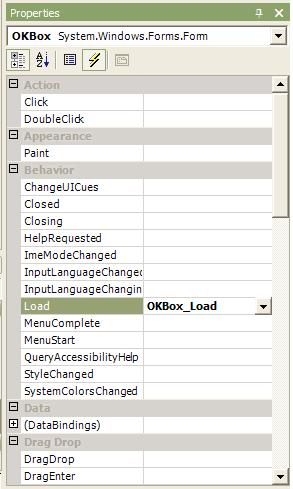
Fortunately, it is just a matter of looking in a different place. If you are looking at your C# code page, hit Shift-F7 to flip back to designer mode. Select the component you want to wire up an event for. Now look at the properties window (if you don't have it up, go to the View menu and select it). Notice the little lightning bolt icon in the toolbar? Click this and you will get to the list of public events exposed by the control. If you double click an event, the IDE will automatically insert the code skeleton and wire up the event. If you already have an event handler written, just click the arrow to get a dropdown list of all of the functions that can listen to the event.


Property list for a Windows Form (events button circled)

Event list for a Windows Form

Database Connection String Wizard

Here's a simple trick for generating connection strings to your database. On your windows desktop, create a file with the *.udl extension. You'll notice that the icon for the file changes. Now double-click on the file to open it. This will launch the wizard for creating your connection string. Be careful, the wizard starts on page two. Backup to the first page and pick your target database protocol. Then step through the wizard to complete building your connection string. When you are finished, right click the file and open it with a text editor. You'll see that it contains your connection string!

Roly Poly


I made my first trip to Roly Poly today, and I must say that it was a good rolled sandwich. I had eaten some of their items before, but only as part of a company function where we had ordered a platter. I had the chicken caesar, and it was great! Good thing I ordered the full rather than the half though. Sometimes I get tired of eating typical fast food (Wendy's, McDonald's, Taco Bell, Arby's, KFC). It's nice to find something a little bit different. I think Roly Poly make it into my "something different" rotation.

Outsourcing

Is outsourcing really as bad as everyone makes it seem? On any given day, you can pull up the Slashdot website and find at least one story proclaiming that the number of jobs available for highly technical people are dwindling away. I'm not so sure that this is as big a problem as what popular media makes it out to be. What I believe is happening is that large businesses that aren't focused on technology are finding the right people to do the work, while companies that are focused on technology are demanding more from the people they do hire. Businesses that aren't focused on technology, such as the hotel industry, groceries, and services companies, don't need a lot of programmers and developers. What they do need are technicians, they need what are essentially the plumbers of the information age. Just as most companies don't hire pipe designers and fluid engineers when they have plumbing installed in their building, there isn't a need to hire software architects and developers when installing information systems. Instead, what these companies need are possibly a couple of maintenance and management staff on board to be sure that the current system runs well, and that the business is prepared for future developments. This roughly equates to the position of operations and facility manager, and a couple of on-site janitors.


Occassionally at my last job I would go on-site for a particular manufacturing customer and find that they had a huge software development office. The manufacturer wouldn't have anything to do with technology, yet they would employee more engineers to work on their internal information systems than the design of their product. It just didn't make any business sense. So I'm not altogether shocked when I hear about well educated, software engineers losing their jobs to outsourced developers. After all, the company has just realized that all they needed were technicians, and an occassional on-call specialist.


What I've seen from companies that are in the technology industry is that it is incredibly difficult to find good people. The folks flooding out of the non-technical industry and desperately looking for work had spent the better part of their career getting comfortable. Their technical knowledge is out of date, or so specialized in one particular vein that they don't offer much value to a company looking for a well-rounded developer. At my last job, I sat in on several interviews and spoke with our HR manager, and it was always difficult to find good people. Their were plenty of people out their looking for another cushy job that wouldn't demand much of them, but very few folks that had a well-rounded background in software development.


All of what I have seen first-hand has left me with somewhat of an unsympathetic attitude towards folks who have been hit by the latest wave of outsourcing. I'm sure that some truly good folks have lost their jobs, but I can't imagine that it will be difficult for them to find new work. I believe the vast majority are people who looked to cash in on the glut of venture capital dumped on the early dot-com market, and now businesses are learning to weed out those looking for a free ride from those looking to provide real value through their technical skill and ability to solve difficult problems.

Sirius2IM

I've been working on a little side project at home in the evenings. I love my Sirius satelite radio. I'm waiting to move into my new cube at work before I setup the antenna again, so I'm missing it terribly right now. While I was using it, I found a neat site - http://www.itsonsirius.com/ - which displays the current title and artist for every stream (they call them streams rather than stations since you aren't actually tuning to a different frequency). That got me to thinking about the latest version of MSN Messenger (version 7 or higher) which can display your Now Playing information from Windows Media Player. I thought, now why should WMP users have all the fun. So I wrote up a quick app that will read the info from ItsOnSirius. You select the stream you are listening to, and it sends that information to MSN 7 as your Now Playing information. I don't know that many Sirius listeners, but if you use a Sirius radio and MSN 7, you can find the tool here - http://www.sourceforge.net/projects/sirius2im

Book Review - The Dancing Wu Li Masters


This weekend, during the rides back and forth to Chicago (I'll explain later) I had the opportunity to finish a fantastic book. The Dancing Wu Li Masters : An Overview of the New Physics by Gary Zukav is a fascinating book that explores the revolution that has been taking place in physics since Einstein's theory of relativity and the birth of quantum physics. The book is made even better in that, rather than dive into the mathematical background behind the concepts of subatomic particles, quantum mechanics, relativity, and other theories, Zukav relates at almost a layman's level. Certainly a basic understanding of mechanics and would help, but really the less you know about physics, the better. This is due to the nature of what modern physics has discovered: the world doesn't work like we perceive it to work. So the fewer preconceived notions you have, the better.


About a third of the way through reading this book, I was sure that all physicist must be on some serious mind altering drugs. Concepts like Schroedinger's cat, multiple worlds, and relativity are just so different from the way we think about our world, that it is very difficult to wrap your mind around the concepts immediately. I think that is the gift that the great physicists of our time have. They have the ability to give up everything they have learned through experiencing the world, and accept new ways of thinking about how the world works.


If you are at all interested in what modern physics is saying about how our world works, if you just want an opportunity to marvel at the wacked out things these folks are thinking, I highly encourage you to pick up this book. I came away from it with a real sense of awe and wonder about how our world works.

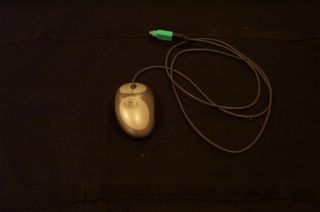
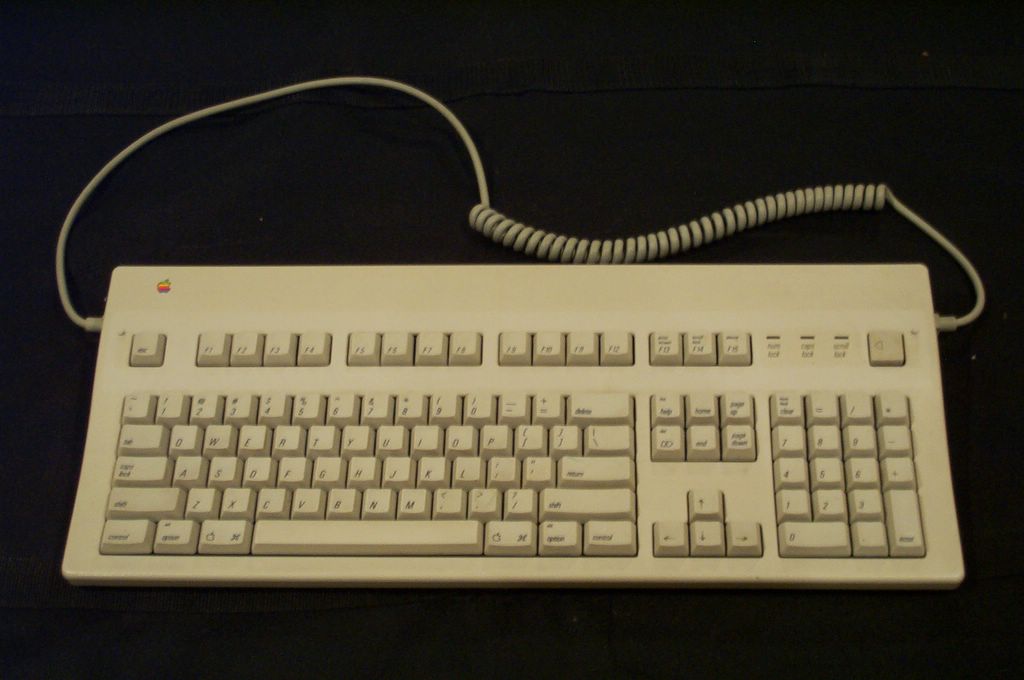
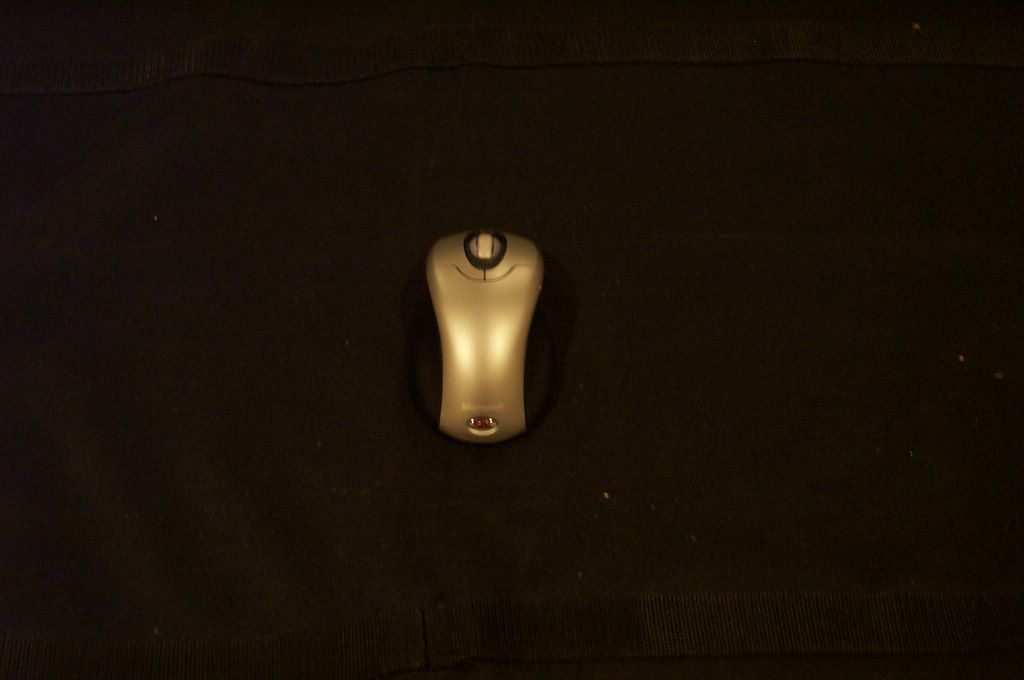
Mice and Keyboards

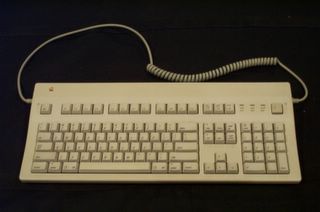
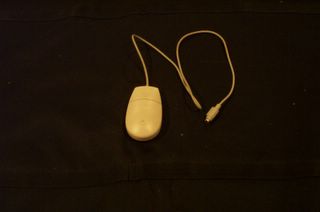
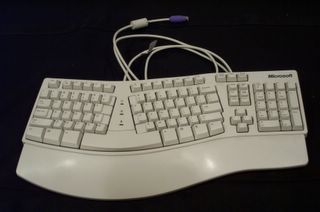
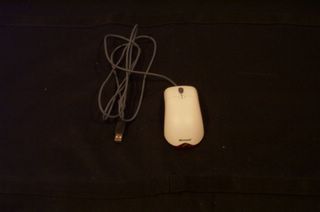
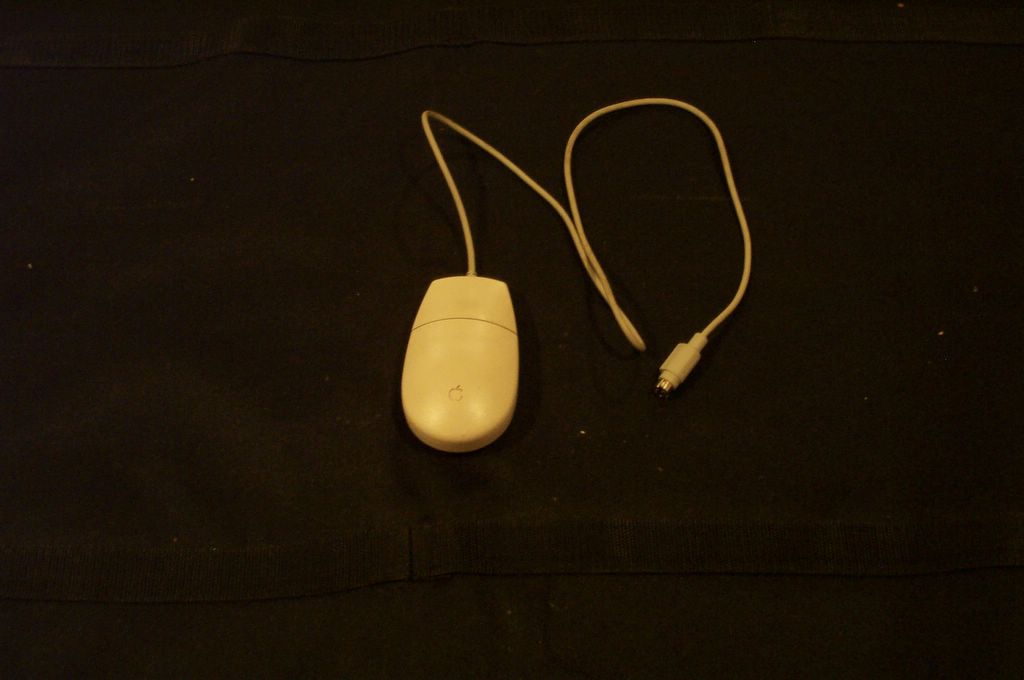
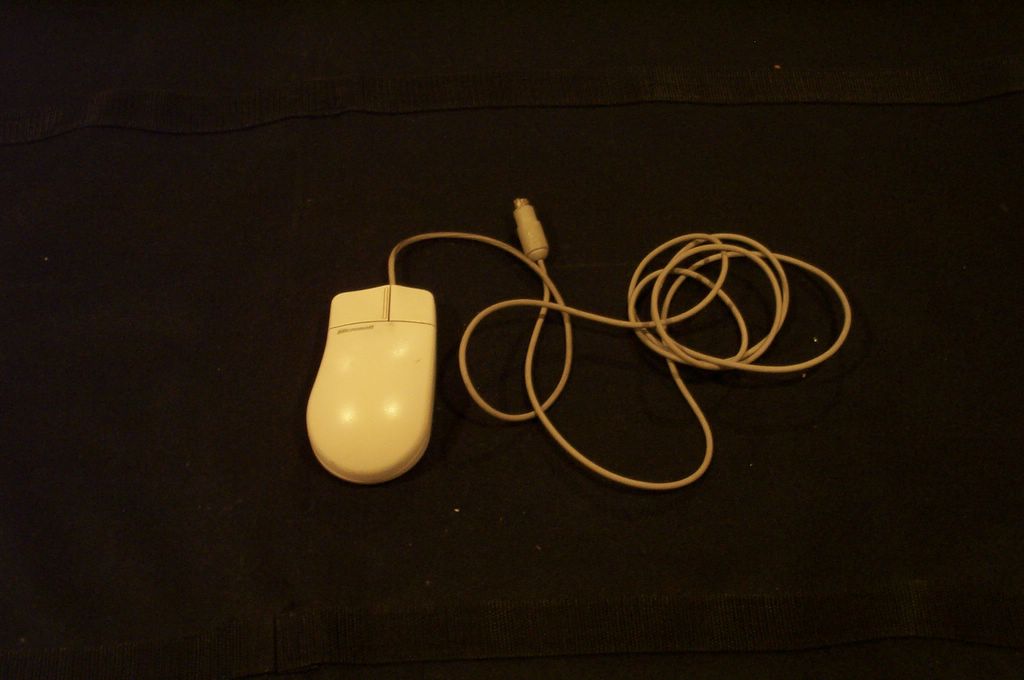
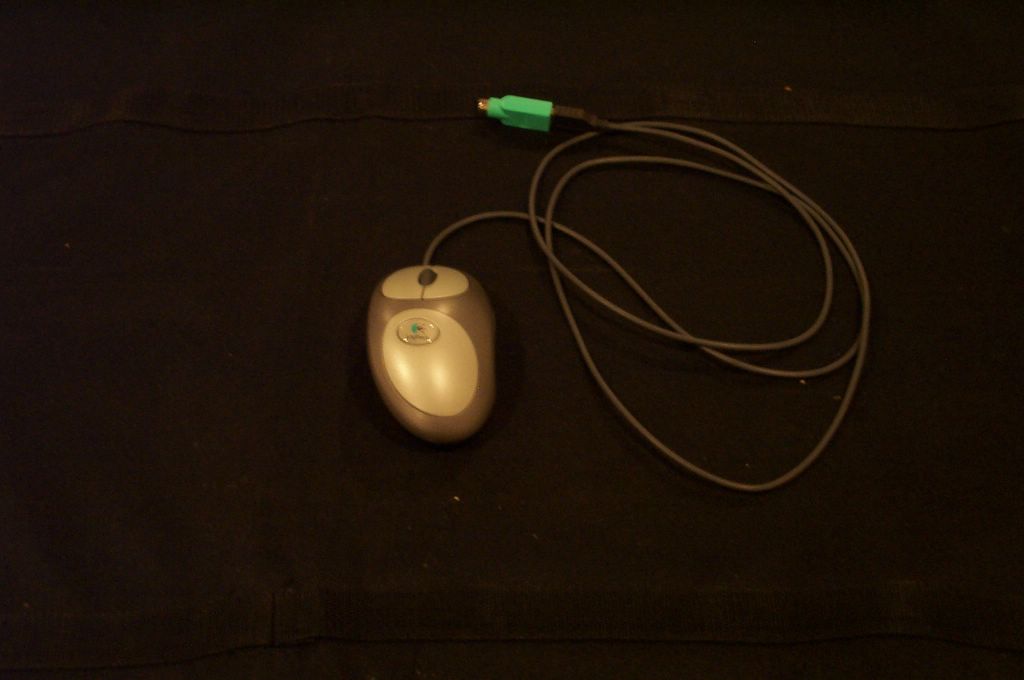
As a programmer, I'm very particular about the tools I use. In college I got used to writing code using Vi, an antiquated command line only text editing program. To this day I still use Vi to occassionally edit text files or code. Sure, I use a slightly updated version with nice syntax highlighting and windows support, but it is still the same Vi where you could do all of your editing through a strange concoction of keystrokes and key combination. Using Vi, you never had to touch the mouse, which was good in its time since mice might not have been invented yet.


Just as I'm picky about the software tools I use, I'm very picky about the hardware that I use. Particularly keyboards and mice. I've become a very proficient touch typist. I'm frustrated each time I need to change keyboards, because invariably the keyboard maker has done something to "improve" their keyboard which throws off my ability to find the right keys. This comes up because when I arrived for my first day of work, I was greeted by a very, very poor keyboard. The keys didn't have the right clicky-ness feel, they stuck, the layout was all wrong.... I didn't like it and it had to go. When I went searching for a replacement, I realized just how much the tools of the trade have changed. Follow with me as we travel down my keyboard and mouse hall of memories.


The MacIntosh IIsi Keyboard and Mouse

The first keyboard and mouse and I used extensively were on the Mac IIsi we had growin up. Learning to type on this board was a "hunt and peck" affair. I didn't take a typing course until my senior year of high school, but I was quite good at using the "One-Finger-Wonder" technique to stab out what I needed. Mac's were unique, even at that time. One trait that endures even to this day is the one button mouse. Simple, yet utterly effective. Another neat feature of the Mac keyboard was the cabling. I plugged the cord into both sides of the keyboard to show that it had two ports. One port would plug into the back of the PC, and the other was used for the mouse. That's why the cable for the mouse is so short, it only had to run a couple of inches to the keyboard. Brilliant! As wth all keyboards of this time, it weighed about as much as it cost. The Mac keyboard is a good 10 pounds, if not more. All of the keys have a nice weight to them, and make an enticing clicking sound when you press them. Another unique Mac feature is the power button in the upper right hand corner.


Gateway AnyKey Keyboard and Mouse

Upon graduating high school and moving on to college, it was time to get a new PC of my own. I opted for a state of the art Gateway P100 with an Intel Pentium 100MHz processor, 16MB of RAM, and a full 1GB of hard drive space. It came with the Gateway AnyKey keyboard, and a standard two button mouse. The mouse is only interesting in that it had a half-hearted nod to ergonomics. The curved shaped was great.... if you were right handed. Lefties would be totally miffed by this mouse, but I didn't have to worry about that. This keyboard was awesome, and I used it for the longest that I ever used a single keyboard. It had an eight-way arrow pad, which was great for video games. I can't remember what the middle key does between all of the arrows, but I'm sure it had some use. It had not 12 but 24 Function keys (F1-F24). This was a boon when I needed to telnet into the school's UNIX machines and execute some odd-ball command. What really set this keyboard apart, though, was the fact that it was completely prorammable. The keyboard encoder could be reprogrammed on the fly to change any key to function in some other way. Software was available to backup and restore these configurations. Like I said before, I am a Vi user. The school labs all had Sun machines, and Sun machines have a different keyboard layout (sorry for the lack of a photo, but I never OWNED a Sun keyboard). On Sun keyboards, the Control key and CapsLock keys are switched. The Escape key and the tilde/squiggle (`/~) key are switched. And Sun keyboards had a variety of other special "function" keys (Stop and Halt come to mind). When I would back from my labs and go to work on my homework, I could download a new keyboard configuration and use my keyboard just like the Sun ones at the lab. Great! When I was done, I just switched it back to the original layout and I was on my way. I LOVED this keyboard. Unfortunately, it has seen too many years of use, and the keys started to fail. Something messed up the G and H keys, and when keys stop working, it's time for a new keyboard.


Ergonomic Keyboard and Optical Mouse

About the time the AnyKey died, the price of optical mice and ergonomic keyboards was falling. Optical mice had the benefit of not using a mouse ball to track movement, but instead detect motion through a tiny light sensor on the bottom of the mouse. It would detect the movement of the pattern under the mouse and move the cursor accordingly. Sun mice worked like this for years, but required a special mouse pad. The new series of mice would work on almost any surface, and you would never worry about cleaning the lint out of your mouse balls again (shiver). Another neat feature was the scroll wheel. This had been around for a while in non-optical mice, but this was the first mouse I had with a scroll wheel. The scroll wheels were a tremendously good idea. They allowed you to quickly scroll up and down a window, such as a web page or word document. No more hunting for the scroll bars. The wheel could also be depressed for a third mouse button. I never really used this feature until later software (Firefox's tabbed browsing) took good advantage of it.


The ergonomic keyboards were a pretty radical change as well. Mind you, I had spent the better part of the last ten years mastering a particular keyboard layout. I was more than a little wary of these strange beasts with their split layout and curved surface. I decided to take the plunge though, and after an adjustment period, found that the layout truly was much more natural. Regular keyboards cause your hands and wrists to be at too much of an strange angle. Your fingers are oriented straigh up and down while your wrists are bent to accomodate the width of your shoulders. This isn't such a problem for occassional PC users, but for someone who spends 8 or more hours a day typing, it can get to be quie a nuissance. I never realized how much so until I went from the ergo keyboard back to a laptop keyboard for work. They really are more comfortable, and only take a week or so of use to get really accustomed to. Still, I lost a lot with this keyboard. I was down 12 function keys, my 8 way arrow pad was down to a four-way cross, and my Insert-Home-Page Up / Delete-End-Page Down keys had been turned on their side.


Dual Optical Logitech Mouse

I liked my optical mouse, but I wanted more out of it. Enter the Logitech dual optical mouse. It was another right-handers only mouse, and the design really fit my hand well. It featured two motion tracking sensors on the bottom, which eliminated a lot of the jitter you get out of the single optical variety. It also had a handy extra button on the side. This button was configurable, but I liked the default, which was as a back button in your browser. The scroll wheel is still present. I absolutely love this mouse, and use it to this day.


Microsoft Comfort Wireless Desktop

Which brings us to my shopping trip today. I was really disappointed when I walked down the aisle at Fry's. All I really wanted was another ergonomic keyboard, and possibly a dual-optical mouse like I had at a cheap price. No chance. The hot feature now is wireless. At my desk, I really don't mind having wires, but there were very few choices for corded keyboards and mice. In addition, finding an ergonomic keyboard with a half-way sane key layout was a real chore. There are so many additional "feature" keys like homepage, e-mail, volume controls, finger-print readers, and so on that I was really put off. Frustrated with Fry's, I went to the local Target. There I found a reduced set of the same things, albeit at much lower prices. I decided I'd give the Microsoft Comfort Wireless Desktop set a try. It was an ergonomic keyboard with a mostly okay layout. Notice that my once mighty 8-way arrow layout is now down to an almost forgotten upside down T tucked at the bottom of the keyboard. My delete key up and swallowed (or did it delete it) the insert key. I'm not entirely upset about that as I found the insert key completely useless. Thankfully, I haven't lost any more function keys (although I do need F-Lock on to get to them), and I still have a full number pad. However, I am now completely surrounded by "helper" stuff around the keyboard. The left side has a zoom slider.... not sure I'll ever get into the routine of using that. It also has hot buttons for e-mail, web browsing, instant messenger, calendar, and my documents folder. Across the top are volume and playback controls, as well as a customizable set of keys. My function keys are now overloaded to offer common editing functions with the F-Lock is turned off. The built-in wrist pad is actually pretty comfortable. After using the keyboard this evening, and to write this post, I have to admit that I'm actually pretty hapy with it. Compared to the old mac keyboard, it is incredibly light, and the lack of cables dangling around does clean up some of the clutter in the room.


The mouse has it's ups and downs. I still prefer my logitech dual-optical mouse over this one, and when the wireless stuff goes to work on Monday, it will make a triumphant return to the mousepad. The wireless optical mouse is no longer bigoted to handed-ness (lefties welcome, Mr. Ned Flanders), but the design doesn't fit my hand quite as well as the logitech does. My back button is gone completely. There was a more expensive version of this setup which included a mouse with both a back, forward, and a couple of other extra buttons on it, but it wasn't worth doubling the price. The one new feature is that the scroll wheel now tips left and right to scroll horizontally. I'm not often faced with horizontal scrolling, so I'm not sure how useful this will be. It can't hurt anything though. One minor nuissance is that the wheel button itself is much more difficult to click. When doing so, it is very easy to lean and end up scrolling rather than clicking.


So there you have it. That is my history with keyboards and mice. I have pictures because I still have all of these old monsters laying around the house. The wireless stuff will travel with me to work on Monday, and I'll be back to hacking bliss!
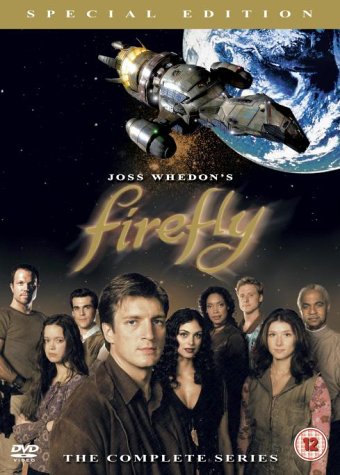
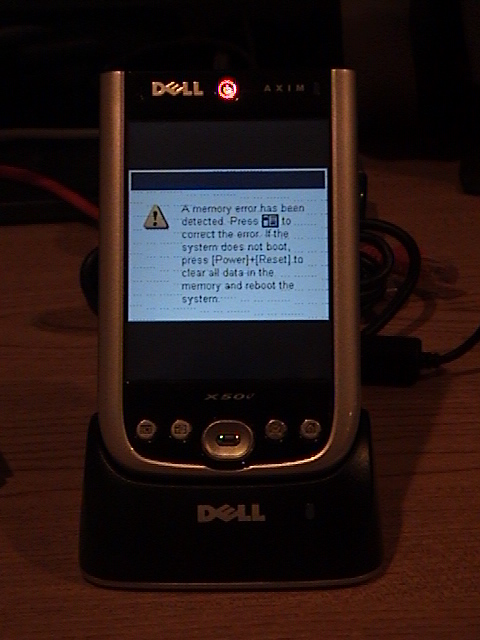
The Rumors of my Death have been Greatly Exaggerated

Sorry for the long snap before posts. Over the holiday weekend, I caught some type of nasty sinus infection. Corbin had it first in the form of an ear infection. Jenn got him to the doctor and within a couple of days on meds he was back in good shape. I wasn't so lucky. I picked it up on Saturday. It got worse through Sunday. Monday I went golfing with my family, and added a sunburn to my misery. Tuesday we went to the zoo, which was a blast, but didn't help my cold or my sunburn. So my first day of work at Integral was a real struggle on Wednesday. Fortunately, I'm now starting to feel like I'm coming out of it. I'm not 100% back to good health, but at least I can breath through my nose again. I'll get some updates on here about the stuff I didn't have the energy to write about last week.

 
Jade Mason